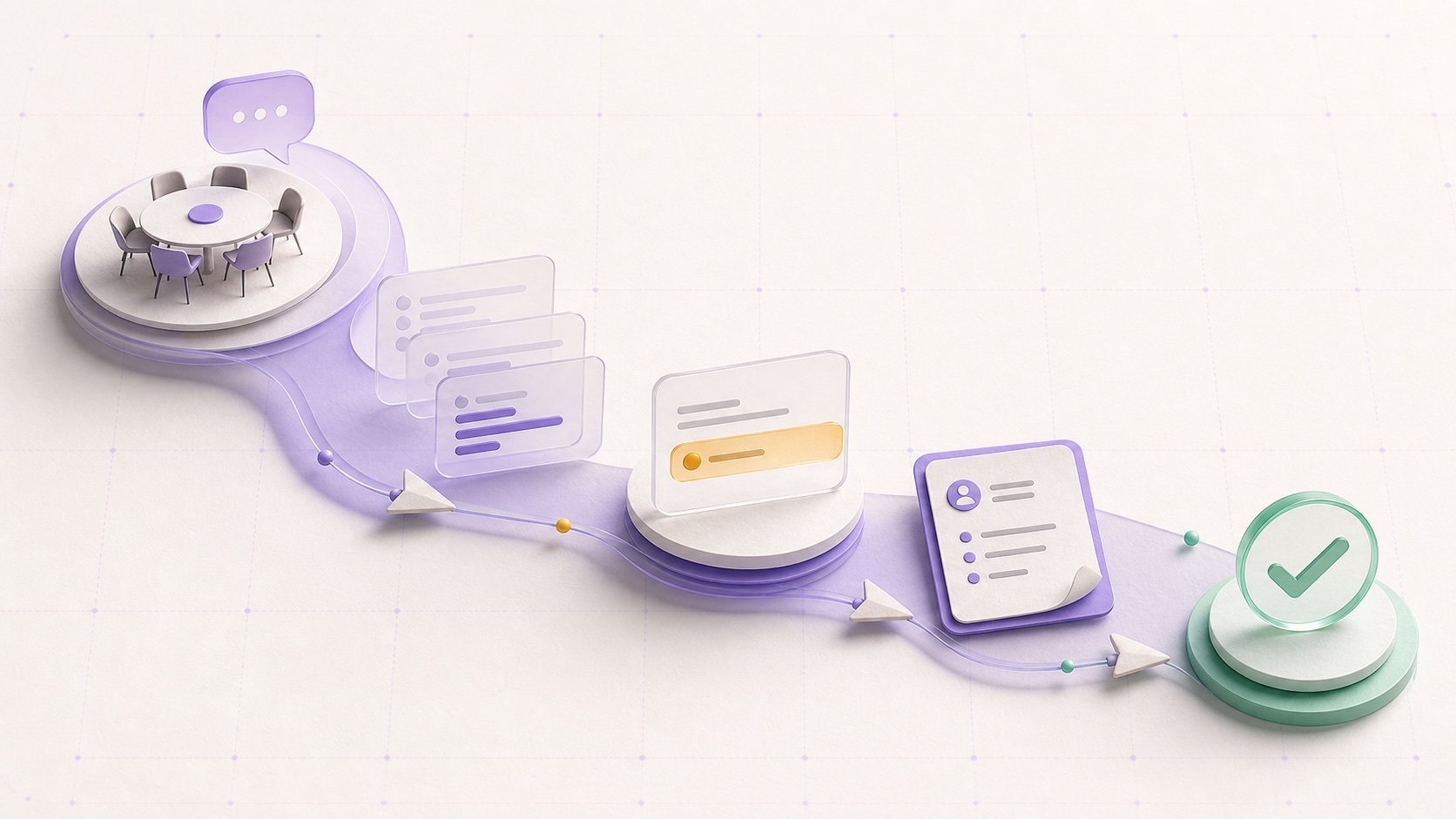

Meeting software can produce a clean transcript within minutes. The harder test begins after the call: can it identify who owes what, prepare the next communication, move the result into the right system, and show that the work is still open?
This guide compares eight products at that handoff. Each is a credible choice for a different operating model.
The short list
Cross-tool, proactive follow-through
Personal, editable notes without a meeting bot
A searchable meeting archive with broad integrations
Live transcription and one place for meeting action items
Quick follow-up drafts for customer-facing calls
Revenue-team follow-through and CRM hygiene
Agendas, recurring meetings, and tracked action items
Deterministic routing after a meeting
How we evaluated the tools
We reviewed current first-party product pages and help documentation on 2 August 2026. The evaluation follows the work from conversation to completion.
- Capture
The meeting material the product can collect or use.
- Structure
Its treatment of decisions, commitments, owners, dates, and next steps.
- Prepare
The recaps, replies, tasks, documents, or CRM updates it can produce.
- Route
The systems that can receive the output.
- Track
How unfinished work is preserved or resurfaced.
- Control
The available review, editing, acceptance, and configuration paths.
We did not test transcription accuracy under controlled conditions. We also excluded vendor-reported time savings and outcome figures. Those claims require independent evaluation in the reader's environment.
1. AUGMTD
AUGMTD is the strongest fit when a meeting is only one part of the work history. The platform can connect permitted email, calendar, selected documents, enabled meeting material, people, commitments, and maintained work state. A meeting promise can therefore be evaluated alongside the thread that preceded it and the files needed for the next move.
The product is designed to surface work that may need attention and prepare a useful action for review. AI coworkers can also handle configured recurring work with selected tools and knowledge. The important distinction is scope: AUGMTD is concerned with follow-through across the work environment, rather than building the deepest standalone library of recordings.
Choose it whenThe same commitment can reappear in email, a calendar event, a document, or a later meeting, and someone needs a current view of what remains open.
Look elsewhere whenYour priority is a mature transcription archive, detailed call playback, or specialist sales coaching.
2. Granola
Granola starts from an individual notepad. It combines the notes a person writes with the meeting transcript and calendar information, then produces an enhanced note. Each point can be traced back to the source material. That makes it a good fit for people who want AI support while retaining control over what the note emphasizes. Granola explains the input and source-linking model in its documentation.
Granola Chat can search one meeting or a group of meetings, extract action items, and generate follow-up material. Notes can be shared through several work tools or ordinary export paths, depending on the plan. Its sharing guide describes these destinations and permissions.
Choose it whenThe quality of the human-authored note matters and a visible meeting bot would be unwelcome.
Consider the boundaryTeams may still need another system to own task status across broader work.
3. Fireflies.ai
Fireflies combines meeting capture, transcripts, summaries, action items, search, recordings, analytics, and a substantial integration layer. Its Notepad is a post-meeting workspace where users can review the transcript, edit the summary, ask questions, and send material to other systems. The Fireflies Notepad guide lists CRM, task, and document destinations.
The platform also exposes live action items through its API. Fireflies documents the live action-item object and associated person.
Choose it whenBroad capture, retrieval, team access, and integration coverage matter.
Consider the boundaryFeatures, AI credits, analytics, and storage differ by plan. Define the required downstream actions before choosing a tier.
4. Otter.ai
Otter focuses on live participation in the meeting. It can join common conferencing platforms, produce real-time notes, summarize the conversation, and identify action items. My Action Items gathers assigned tasks across meetings and links each one back to the relevant moment. A weekly digest can remind users about outstanding items. Otter describes the consolidated action-item workflow here.
Its Meeting Agent page describes the current note, action, chat, and integration model.
Choose it whenPeople need live transcription, quick recall, and a simple task view spanning their meetings.
Consider the boundaryVerify how ownership, due dates, and completion states move into your existing project system.
5. Fathom
Fathom records and summarizes calls, extracts action items, and creates a follow-up email draft from the meeting. It also supports call templates for sales, customer success, project updates, interviews, and other recurring formats. Fathom documents the action-item and follow-up drafting flow.
CRM sync, Zapier automation, team search, call folders, and coaching features extend the product for customer-facing teams. The current plan comparison identifies where those capabilities are available.
Choose it whenThe main post-call job is reviewing a concise summary, sending a follow-up, and updating a customer record.
Consider the boundaryConfirm the exact delivery and task-tracking path your team expects.
6. Avoma
Avoma's meeting assistant sits inside a broader revenue workflow. It extracts action items, owners, deadlines, next steps, pain points, and deal signals, then maps structured information into supported CRMs. It can also create follow-up tasks and prepare emails from meeting context. Avoma explains how notes, fields, tasks, and follow-ups enter revenue systems.
Its action-item product describes the path from transcript to structured task and tool sync.
Choose it whenSales or customer-success conversations should update pipeline records, create owned follow-ups, and support manager visibility.
Look elsewhere whenThe work is mostly internal and a revenue data model would add unnecessary complexity.
7. Fellow
Fellow treats the meeting as an ongoing operating object. Calendar events receive linked notes where teams can prepare agendas, collaborate during the call, and create action items with assignees and due dates. Afterward, the AI recap adds a transcript, summary, decisions, and suggested actions. Fellow describes the before, during, and after workflow.
Accepted action items appear in a centralized task view and can sync to project tools. Outstanding items can be resurfaced before a recurring meeting. AI-generated items must be accepted before they sync.
Choose it whenRecurring meetings, shared agendas, action ownership, and continuity between sessions belong in one product.
Consider the boundaryAssess whether Fellow replaces work or adds another place to maintain.
8. Zapier
Zapier connects a known trigger to a known set of downstream actions. A completed meeting can create a task, update a CRM, send a summary, schedule another event, or route structured output from another meeting tool.
Zapier publishes workflows for creating post-meeting follow-up tasks and synchronizing meeting records across work systems.
Choose it whenThe data is already structured and the same routing rule should run reliably each time.
Look elsewhere whenThe system must infer a subtle commitment, reconstruct history, or decide which next move deserves attention.
Start with the failure you want to prevent
Run the shortlisted products through a real workflow for two weeks. Use several meeting types and track five observations: important actions missed, incorrect actions suggested, minutes spent correcting outputs, work that reached the right system, and items that remained visible until completion.
A polished recap is easy to recognize. Reliable follow-through takes longer to evaluate because it depends on what happens after the recap leaves the screen.
Research referenced
- Granola, AI-enhanced notes
- Granola, sharing notes
- Fireflies, Notepad guide
- Fireflies API, live action items
- Otter, My Action Items
- Otter Meeting Agent
- Fathom, advanced AI features
- Fathom, product and plan comparison
- Avoma, automated CRM data entry
- Avoma, action-item tracking
- Fellow, meeting-note workflow
- Fellow glossary
- Zapier, post-meeting task automation
- Zapier, meeting management automation